Wii 메뉴 v4.3으로 업데이트
이 자습서는 이미 Wii를 홈브류 한 경우 Wii 메뉴를 버전 4.3으로 업데이트하는 방법을 설명합니다.
WARNING
Wii를 4.3으로 업데이트하려면 ModMii (윈도우용)를 사용하는 것이 훨씬 더 안전합니다.
요구 사항
- 홈브류 채널 1.0.8 이상이 있는 Wii
- 홈브류 채널이 없거나 오래된 경우 먼저 여기서 시작하여 (다시) 설치하세요.
- SD 카드 및 USB 드라이브
- A Windows/macOS/Linux computer
- NUSGet
- Priiloader
- YAWM ModMii Edition
지침
섹션 I - 다운로드
On your computer, download NUSGet using the link above, choosing the archive corresponding to your operating system. For Windows users, you should choose the
NUSGet-Windows-x86_64-bin.zipfile.Unzip the archive and run the NUSGet executable.
Go to
System->0000000100000002 - System Menu->Your Regionand then select the latest 4.3 version of the menu (e.g.v513 4.3Ufor USA). UncheckKeep encrypted contents, then clickStart Download.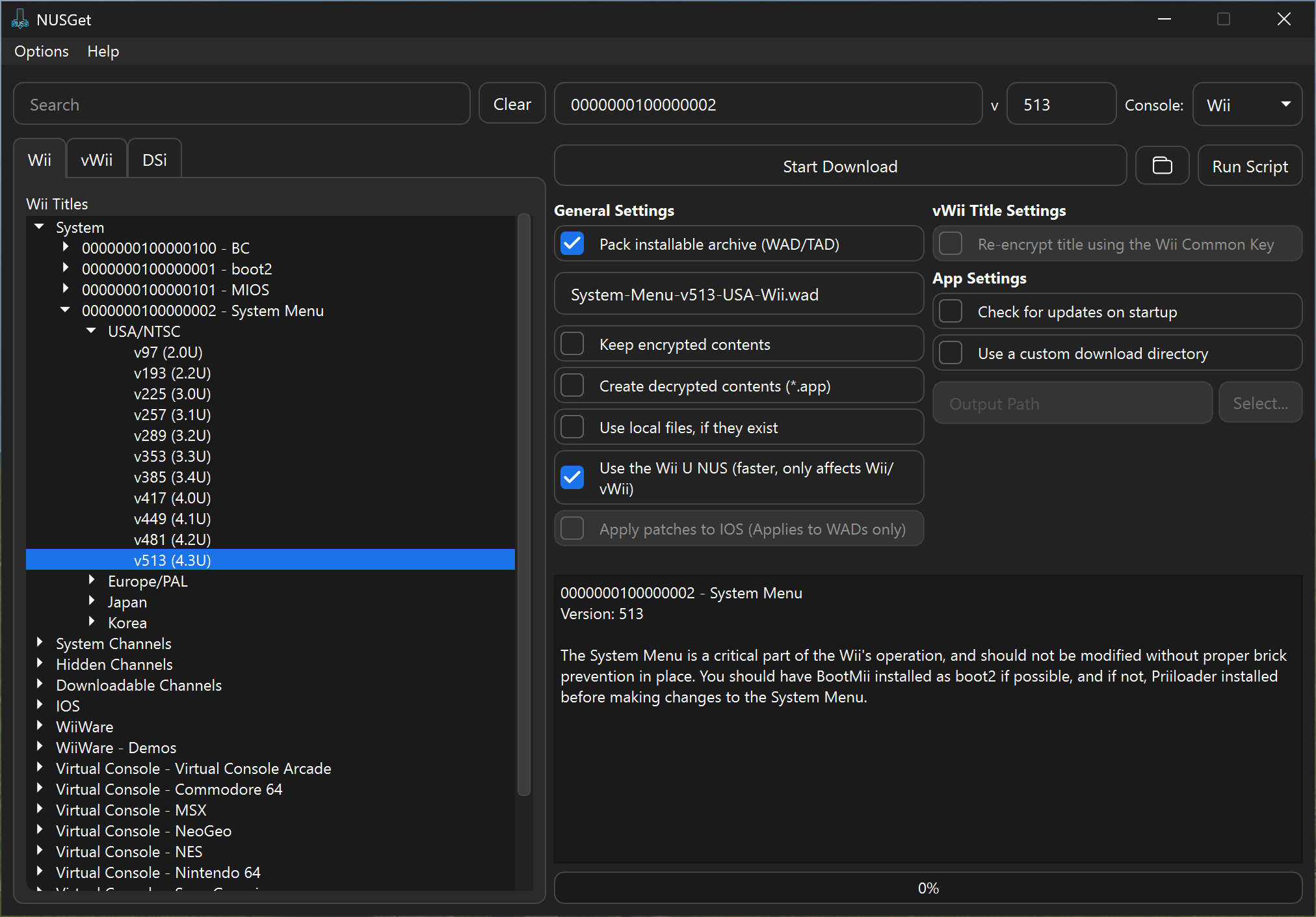
Go to
IOS->000000010000003A - IOS 58->World->Latest Version. UncheckKeep encrypted contents, then clickStart Download.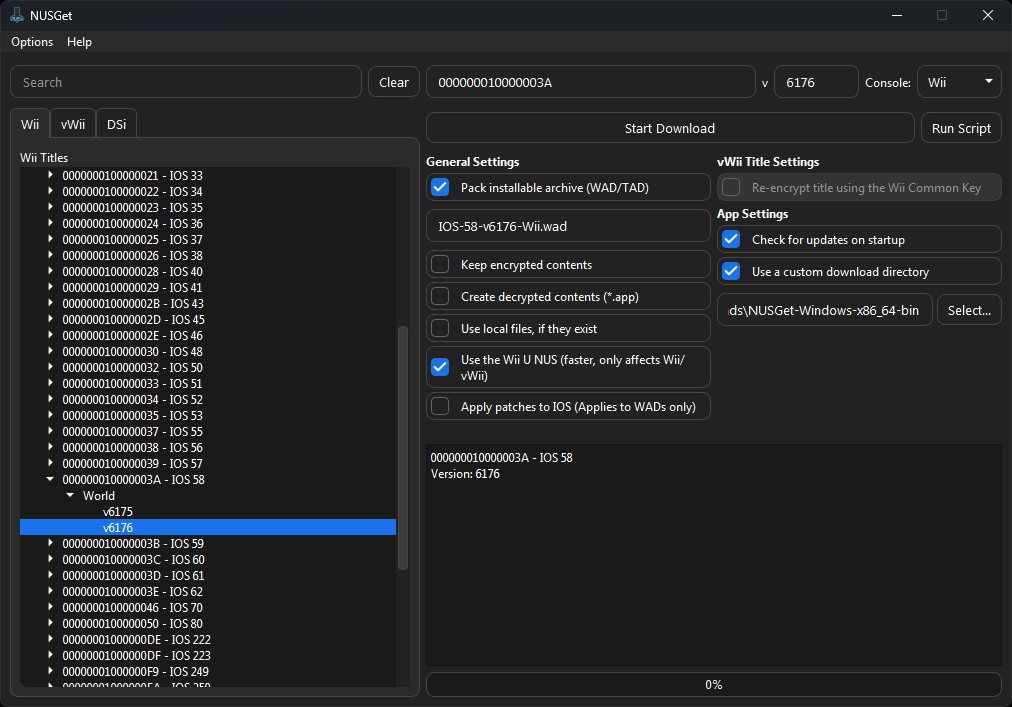
Go to
IOS->0000000100000050 - IOS 80->World->Latest Version. UncheckKeep encrypted contents, then clickStart Download.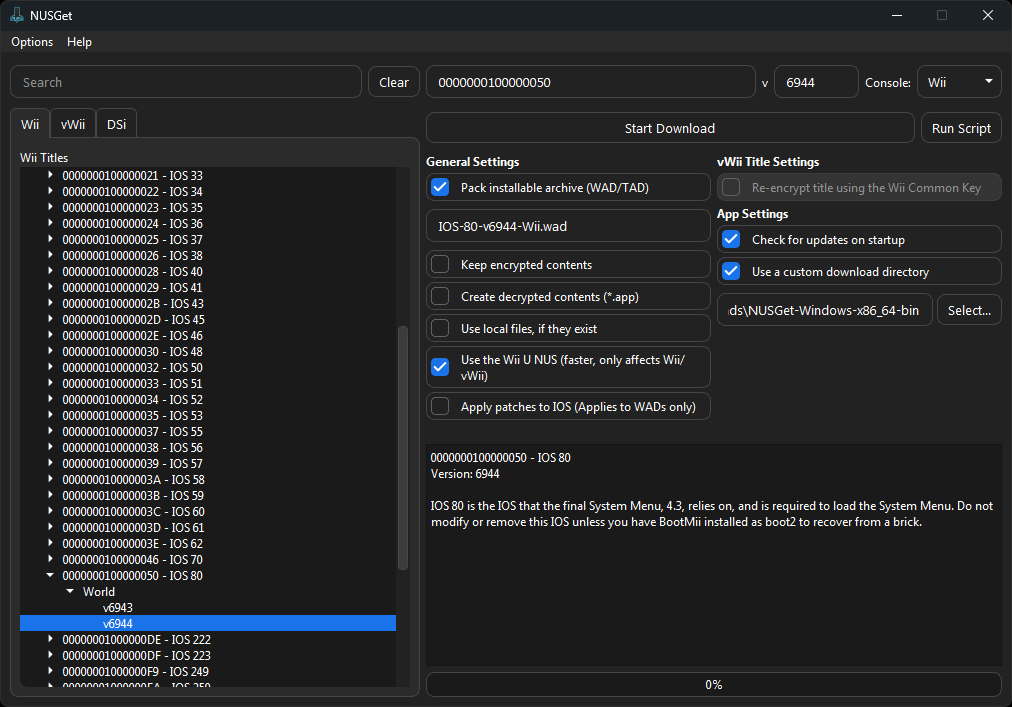
When you have finished the above steps, click the folder next to
Start Download. This will open your file manager to NUSGet's download folder.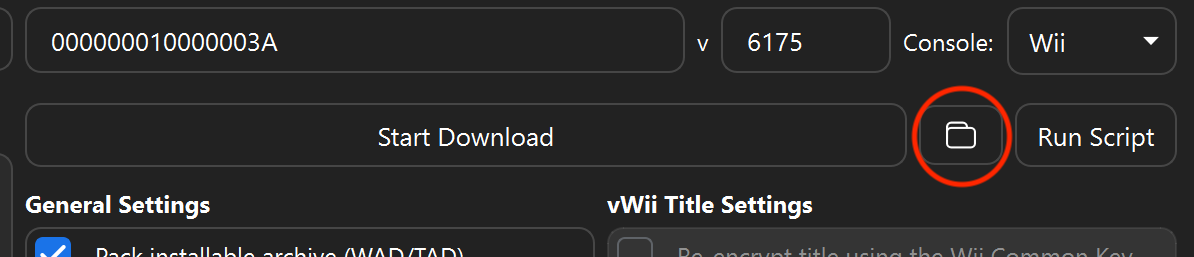
This folder should now contain three different folders with the title IDs for the downloaded IOS and Wii menu files.
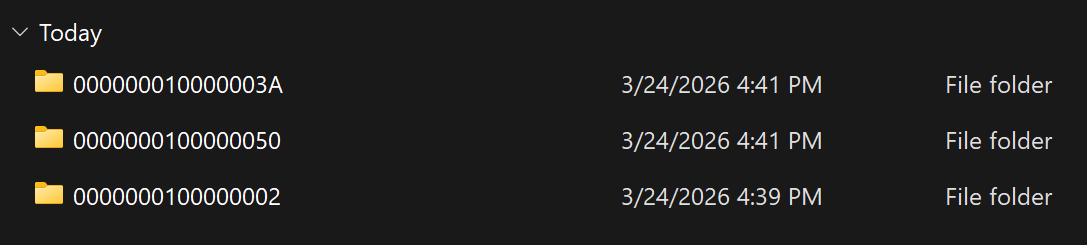
Go into the folders corresponding to the title numbers for the above, and locate the singular WAD file in each. You will need to copy these to a folder called
wadon your SD card or USB drive. The end result should include the files below in the folder: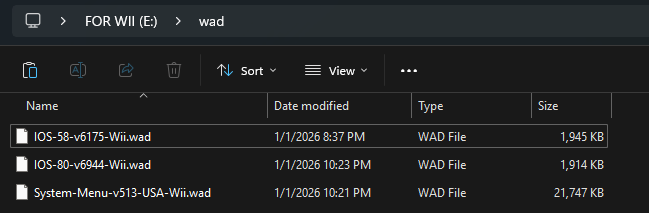
After you have copied all 3 WAD files, eject your SD card/USB drive from your PC and insert it back into your Wii.
섹션 II - 설치
- 콘솔의 전원을 끕니다. RESET 버튼을 누른 후, 다시 켭니다.
- Priiloader 메뉴에서
Homebrew Channel을 선택합니다.- Priiloader 메뉴가 나오지 않을 경우, 즉시 설치를 합니다. 이 가이드에는 Priiloader가 필요합니다.
- YAWM ModMii Edition을 실행합니다.
- SD 카드나 USB 드라이브를 선택합니다.
- IOS80 및 IOS58 WAD 파일에서 + 버튼을 눌러 선택한 다음 A 버튼을 두 번 눌러 설치하세요.
- Wii 메뉴 WAD로 이동한 후 A 버튼을 두 번 눌러 설치합니다.
- Priiloader를 유지할지 묻는 메시지가 나타나면, A 버튼을 눌러 확인합니다.
- 설치가 완료되면, 홈 버튼을 눌러 홈브류 채널로 돌아갑니다.