NAND mentés készítése (Wii)
Annak érdekében, hogy megvédjük a Wii-odat egy permanens bricktől az az útmutató arra fog kérni, hogy készíts egy NAND mentést. A legtöbb felhasználó a nanddumper@ios válassza, a BootMii-vel mint pót opcióval, ha a felhasználó SD kártyát használ.
A NAND mentés importálása a Dolphin Emulátorba
A NAND mentésed használható a Dolphin Emulátorban, ha úgy döntenél.
- Töltsd le a legutolsó verzióját a Dolphin Emulátornak a Dolphin Weboldaláról és telepítsd az eszközödre.
- Indítsd el a Dolphin Emulátort.
- Kattints a
Toolsfülre, görgess le aManage NAND-ig majd válaszd azImport BootMii NAND backup...opciót. - Keresd meg és jelöld ki a
nand.binfájlt, amit az SD kártyád gyökerében találtál és válaszd az Open-t. - Ha egy
keys.binállományt kér, keresd meg az SD kártyádon és válaszd az Open-t.
Ne felejtsd, hogy át kell nevezen a NAND dumpodat a fenti fájlnevekre ha a nanddumper@ios használtad, ahogy leírásra került a követekező szakaszban.
A használható USB portú vagy SD kártya slotos Wii konzolokon a nanddumper@ios lehetővé teszi a Wii-od NAND-jának mentését. A nanddumper@ios ajánlott a BootMii helyett, mert gyorsabban készíti a NAND mentést. Ez a rész végig vezet a Wii NAND menétésének folyamatán, amit utána úgy használsz, ahogy szeretnél.
Kérjük olvasd el az alábbi információkat mielőtt tovább haladsz.
INFO
Fontos információ
Az útmutató befejeztéve 4 fájl jön létre a
/wii/backupsmappában az USB drive-odon. ADATE_SERIAL_nand_XX.bina NAND mentésed és aSERIAL_keys.binfájl tartalmazza a konzolod kulcsait.DATE_SERIAL_nand_XX.bin.sha1éssha1sums.txtfájlok ellenőrző összeget tartalmaznak a mentések integritásának ellenőrzéséhez és nem használt egy NAND helyreállításnál.Kérjük jegyezd meg egy biztonsági mentés visszatöltése általában a legvégső megoldás. Ennek fényében használhatod a BootMii helyreállítási útmutató a NAND mentésed helyreállításához, ahol további információ és nyújtott a kockázatokról és az alternatívákról. CSAK a BootMii-t tudod használni NAND helyreállításra, ha van egy használható SD kártya slotod, ahogy alább leírt.
Ha Wii mini felhasználó vagy vagy NINCS használható SD kártya slotod, NEM TUDOD HELYREÁLLÍTANI a NAND mentésedet hardver módosítás nélkül. Ez azért van, mert a BootMii Restore egy SD kártya slotot igényel a NAND olvasásához forrásként.
Ha NINCS használható GameCube controller portod, akkor NEM vagy képes visszaállítani a NAND mentésed hardver módosítás nélkül. Ez azért, mert a BootMii Restore-nak szüksége van egy GameCube controller portra, hogy beírja a Konami kódot azokhoz a konzolokhoz, amiknél nincs BootMii, mint boot2.
Követelmények
- Egy USB drive vagy SD kártya FAT32-re formázva legalább 512 MB szabad hellyel (1 GB vagy több ajánlott)
- nanddumper@ios
Lépések
Töltsd le a „RECOMMENDED DOWNLOAD” címke alatt található
.zipfájlt az Open Shop Channel honlapjáról.Csomagold ki az
appsmappát a tömörített fájlból az SD kártyád vagy USB drive-od gyökerébe.Csatlakoztasd az SD kártyád vagy az USB drive-od a Wiihez és indítsd el a Homebrew Channelt. Nyomj
1-est és biztosítsd, hogy a használt eszköz legyen kiválasztva, majd nyisd meg a nanddumper@ios-t.- Ha Exception IOS occurred! hibát kapsz, indítsd újra a Wii-od és próbáld újra.
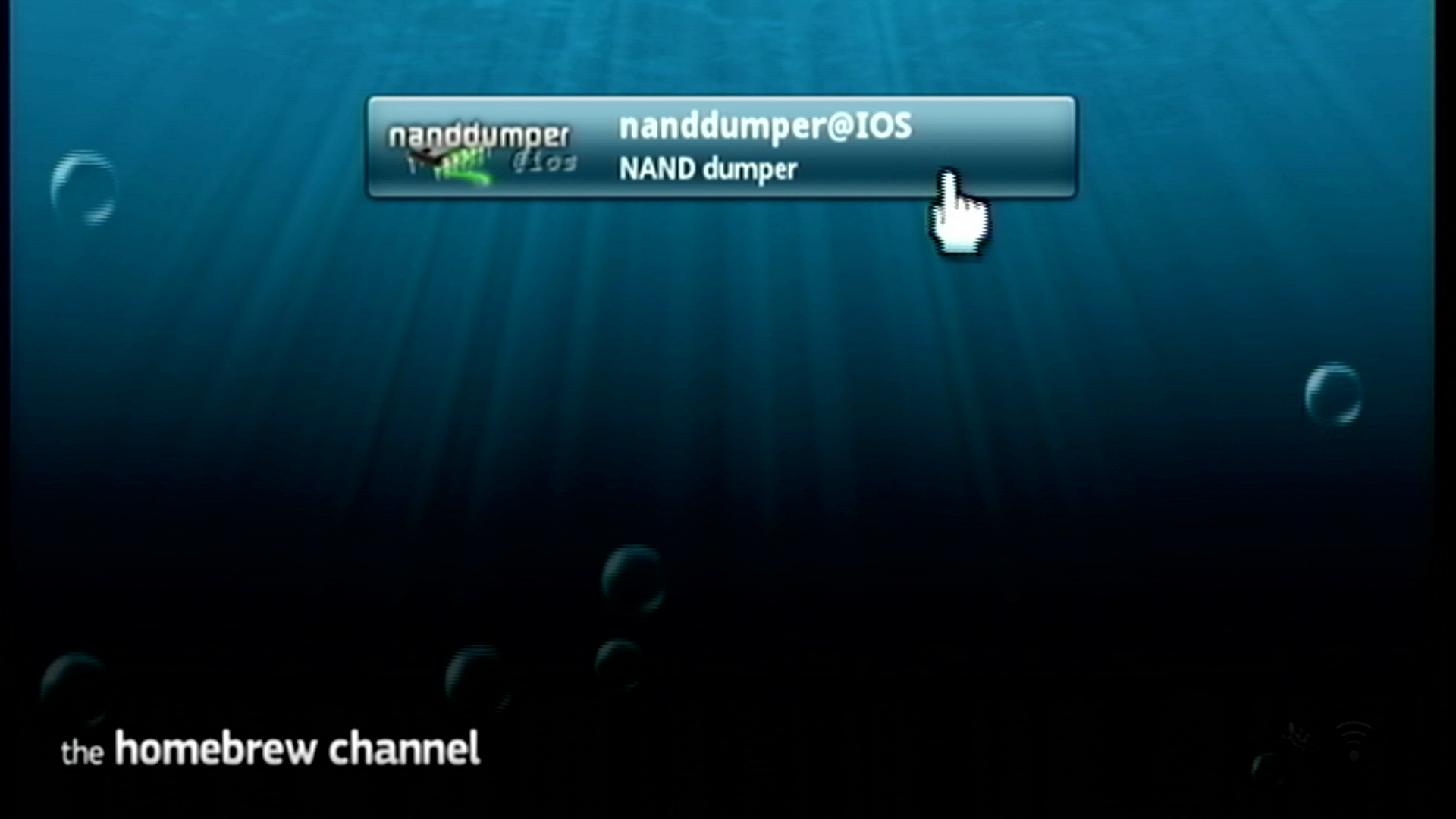
A nanddumper@ios el fog indulni és dumpolni fogja a konzolod kulcsait a megnyitásakor, ha még nem lennének a meghajtódon. Nyomj bármilyen gombot, ami NEM
HOME,START, vagyEJECTgomb a konzolod NAND tárolójának dumpolásához.- Ha No storage devices are attached hibát kapsz, biztosítsd, hogy az SD kártyád vagy az USB drive-ot közvetelnül csatlakozzon a Wii-odhoz. Ha egy USB drive-ot használsz, NEM ajánlott, hogy egy USB hubhoz legyen kötve.
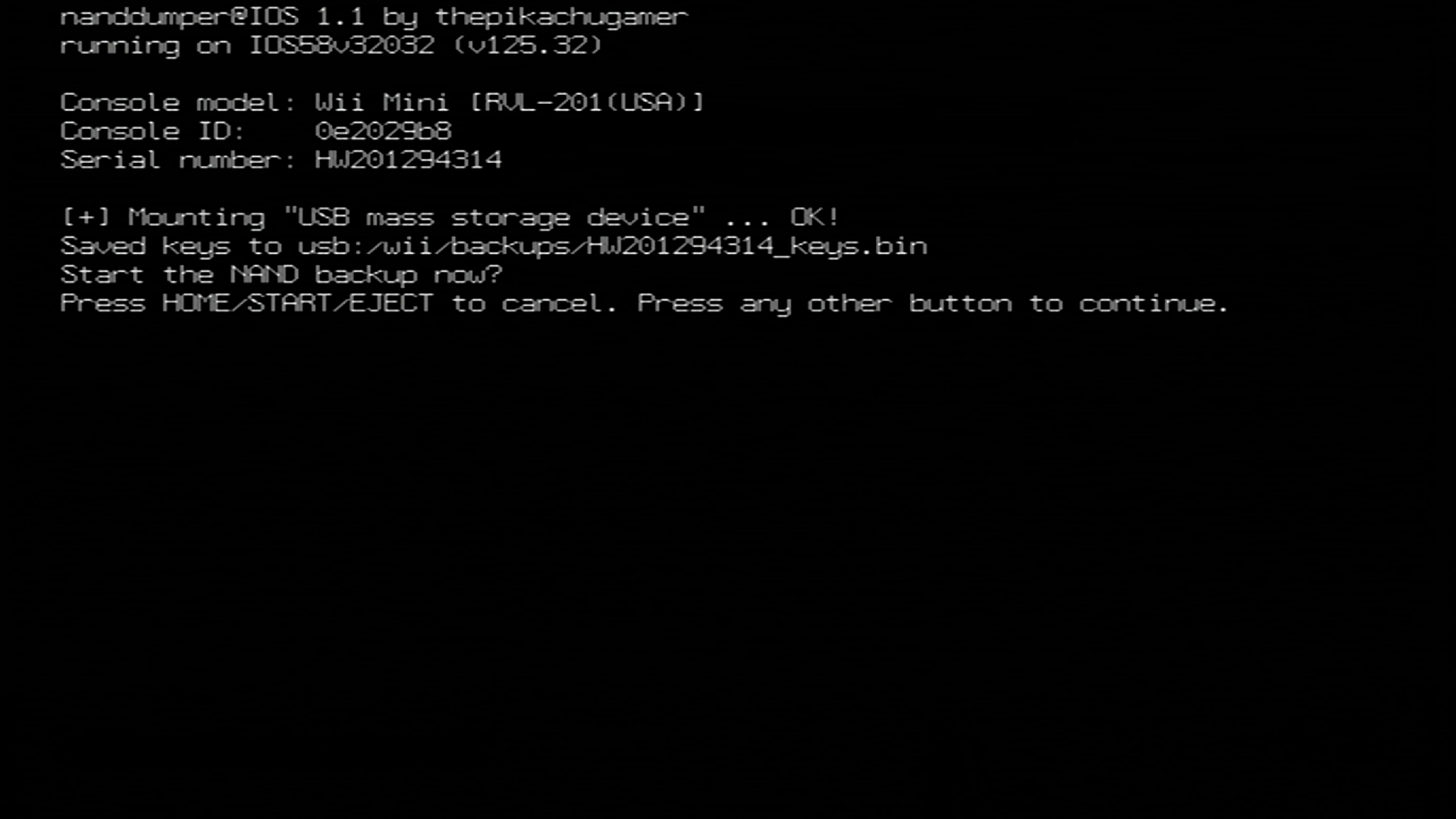
A konzolod NAND-ja most dumpolásra fog kerülni. Kérjük várj, amíg a NAND dump befejeződik, mielőtt folytatnád.
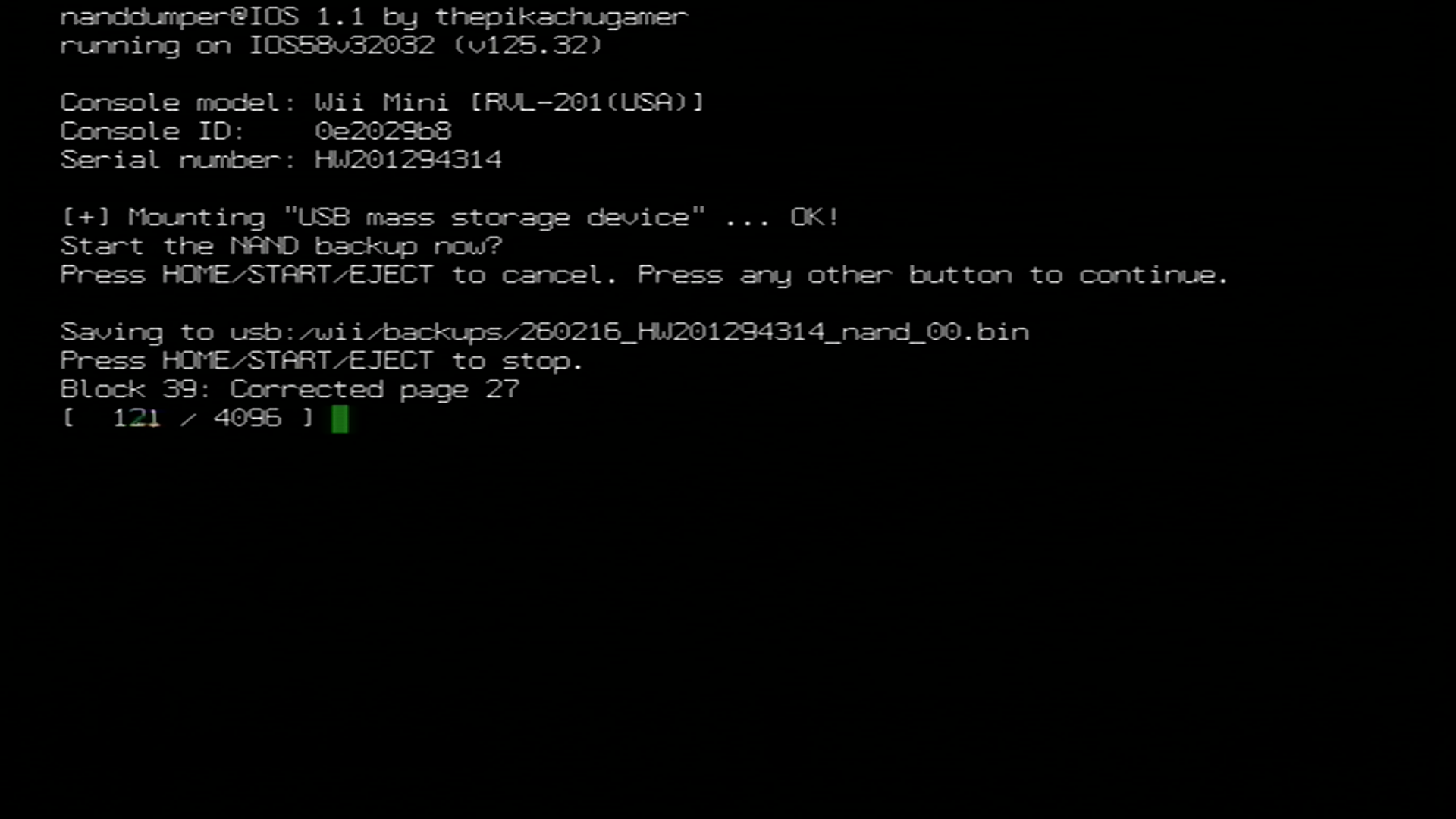
Ha a NAND mentés megtörtént, nyomj tetszőleges gombot a nanddumper@ios-ból kilépéshez. A NAND mentésed és a konzol kulcsok az SD kártyád vagy az USB drive-ok
/wii/backups/könyvtárába fog kerülni.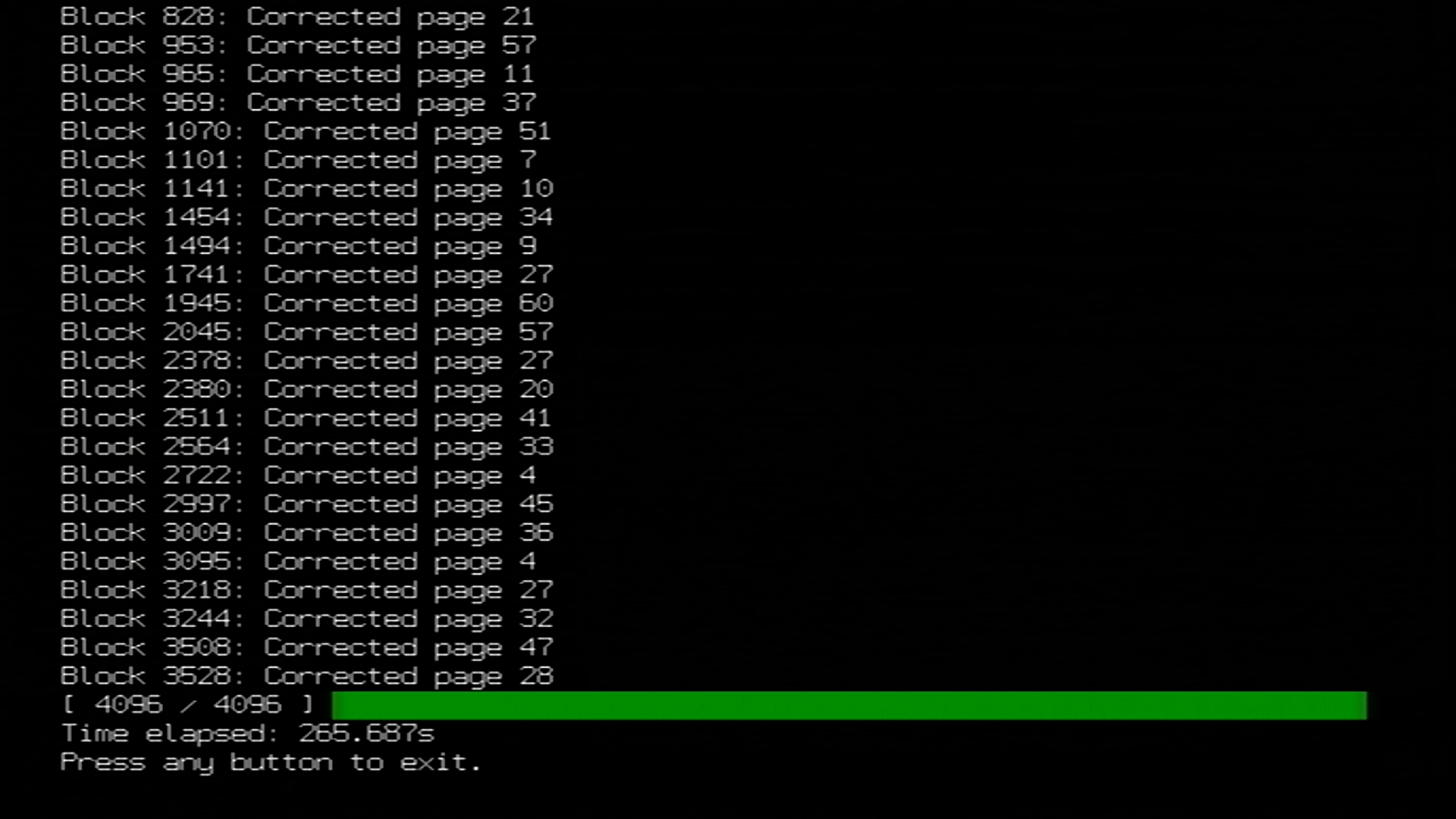
Csatlakoztasd a pendrive-ot vagy az SD kártyát a számítógépedbe!
A számítógépeden nevedz át a
DATE_SERIAL_nand_XX.binfájltnand.binfájlra, és aSERIAL_keys.bin-tkeys.bin-né. Ez biztosítja, hogy a BootMii megfelelően értelmezi-e a NAND mentésed arra az esetre, ha vissza kellene állítani.
Másold a
nand.bin,keys.bin,sha1sums.txt, és .SHA1 hash fájlt a/wii/backupskönyvtárból az SD kártyádról vagy USB drive-odról egy biztonságos helyre. . Opcionálisan letörölhted ezeket a fájlokat az SD kártyádról vagy az USB drive-odról, ha akarod.- Ideálisa esetben ezek a mentés fájlok legalább két helyen kerülnek tárolásra; preferáltan egy helyi meghajtón, amihez hozzáférsz, mint például a számítógéped merevlemeze és egy felhős tárolás mint a OneDrive vagy az iCloud Drive.

TIP
A Priiloader egy második réteg védelemmel látja el a Wii-t és erősen javasolt a beállítása, még ha boot2 alá is telepítetted a BootMiit. A BootMii IOS-es felhasználóinak számára kiemelten fontos.
Ha Wii mini-n vagy ez az elsődleges brick védelmed.
Az SD kártya slottal rendelkező Wii konzolokon a BootMii lehetővé teszi a Wii-on NAND tárolójának mentését. Ez a rész végigvezet az SD kártyára biztonsági mentés készítésén, amivel aztán úgy cselekedhetsz, ahogy szeretnél.
Kérjük olvasd el az alábbi információkat mielőtt tovább haladsz.
INFO
Fontos információ
Az útmutató befejeztével két fájl lesz létrehozva az SD kártyád gyökerén: a
nand.binés akeys.bin. Anand.bina belső tárhely másolata, míg akeys.bin tartalmazza a konzol biztonsági kulcsait.Ha boot2 alá telepítetted a BootMiit, akkor a konzol újraindításával kell megnyitnod azt. Ha ez a követelmény teljesül, akkor kihagyhatod az 1. és 2. lépést.
Vagy a konzol gombokat, vagy egy az 1. csatlakozóba dugott GameCube-vezérlőt kell használnod a BootMii-ben navigáláshoz. A GameCube vezérlővel navigáláshoz, kattintsd bal/jobb gombbal a +Control Pad-on a mozgáshoz és nyomj A gombot a kiválasztáshoz. A konzol gombokkal navigáláshoz nyomd meg a
POWER-t a jobbra mozgáshoz és aRESET-et a kiválasztáshoz.Kérjük jegyezd meg egy biztonsági mentés visszatöltése általában a legvégső megoldás. Ennek fényében használhatod a BootMii helyreállítási útmutató a NAND mentésed helyreállításához, ahol további információ és nyújtott a kockázatokról és az alternatívákról.
A Family Edition Wii-kon NEM LEHETSÉGES NAND mentéseket visszaállítani hardveres módosítások nélkül. A biztonsági mentés visszaállításához egy olyan megerősítő kódot kell megadnod, amihez egy GameCube-vezérlő szükséges.
DANGER
Fontos figyelmeztetések
Ez egy pótmegoldás, mivel a BootMii lassabb, mint a nanddumper@ios. Szükséged van egy SD kártyára a BootMii használatához. Ha nincs nálad SD kártya épp most, de van használható USB drive-od használhatod a nanddumper@ios útmutató helyette.
Ha a
Launch BootMiigomb nem jelenik meg a Homebew Channelben, indítsd újra a HackMii-telepítőt és telepítsd újra a BootMii-t.Ha a BootMii elindítása után a képernyő fekete marad és a lemezolvasó fénye kéken villog, az azt jelenti, hogy hiányoznak a BootMii-fájlok az SD kártyáról. Töltsd le ezt a zip fájlt és csomagold ki az SD kártyád gyökerébe, majd próbáld újra.
A BootMii nem használható a Wii mini-n hardver módosítás nélkül. Használd a nanddumper@ios-t ha egy Wii mini felhasználó vagy.
Követelmények
- Egy SD kártya legalább 512 MB szabad hellyel (1 GB vagy több ajánlott)
- BootMii
Lépések
Kapcsold be a konzolod.
Indítsd el a Homebrew Channelt.
Nyomd meg a HOME-gombot, majd válaszd ki a „Launch BootMii” menüpontot.
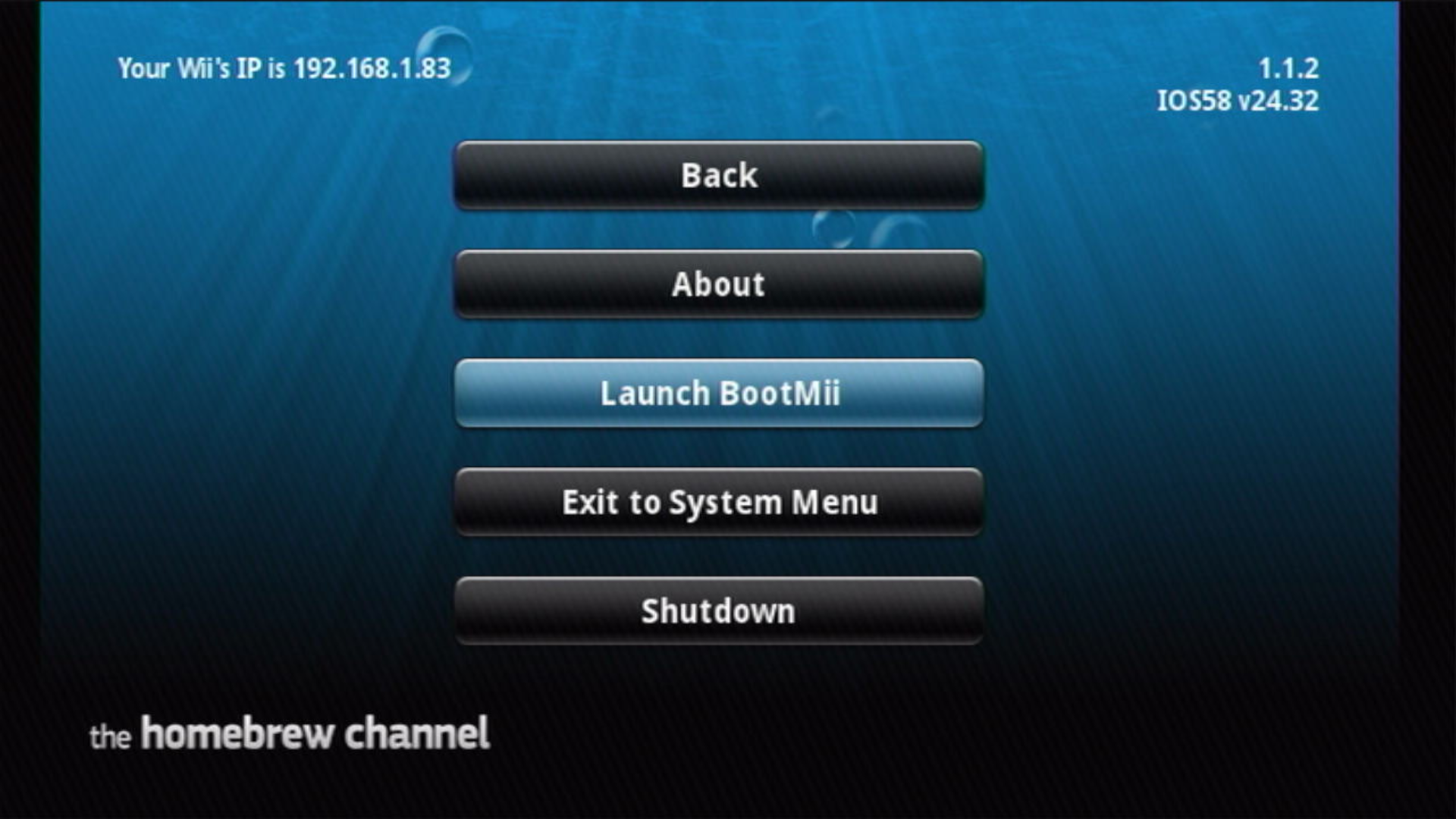
Ezek után az alábbihoz hasonló képernyőt fogsz látni a Wii képernyőjén:
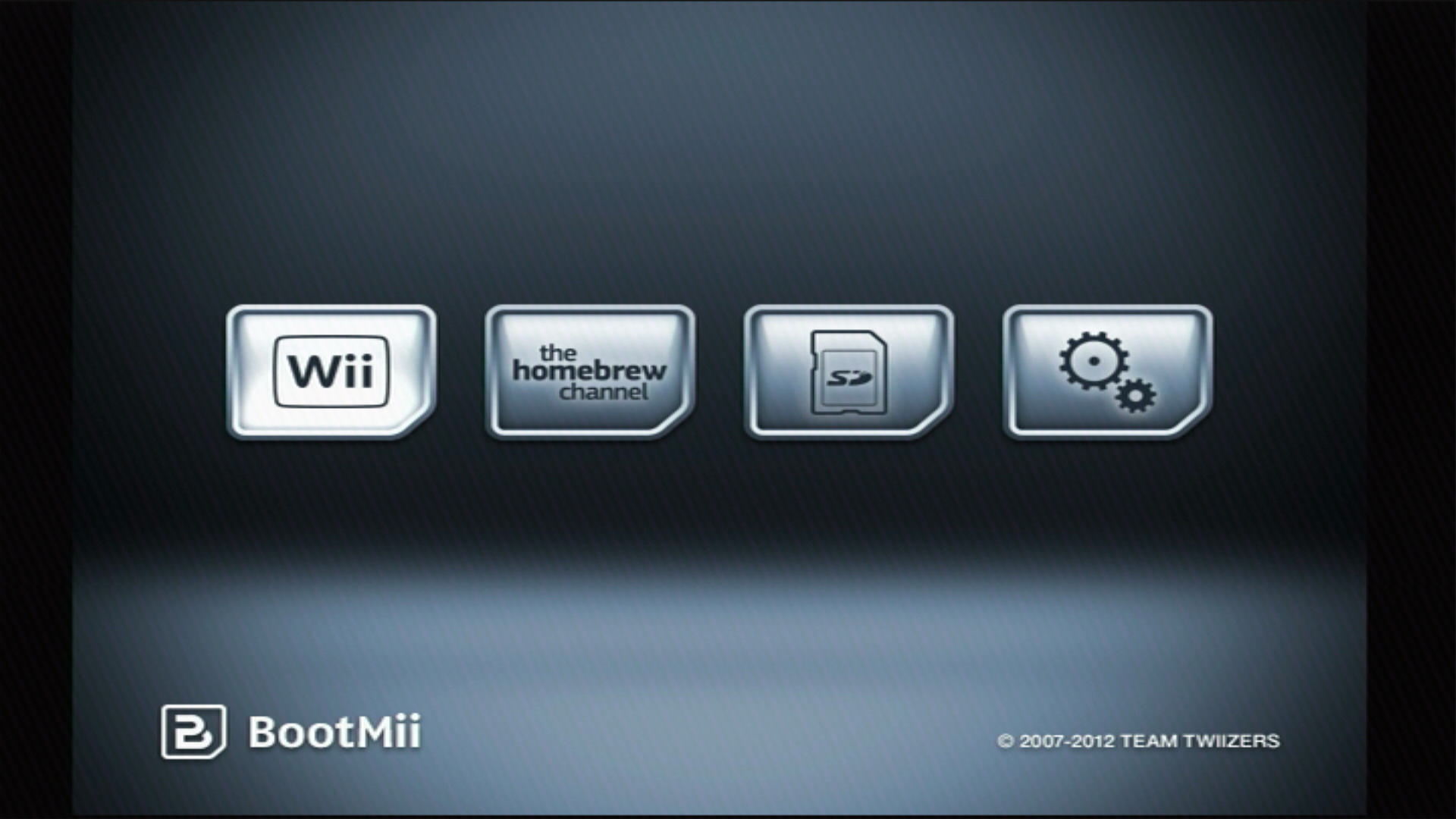
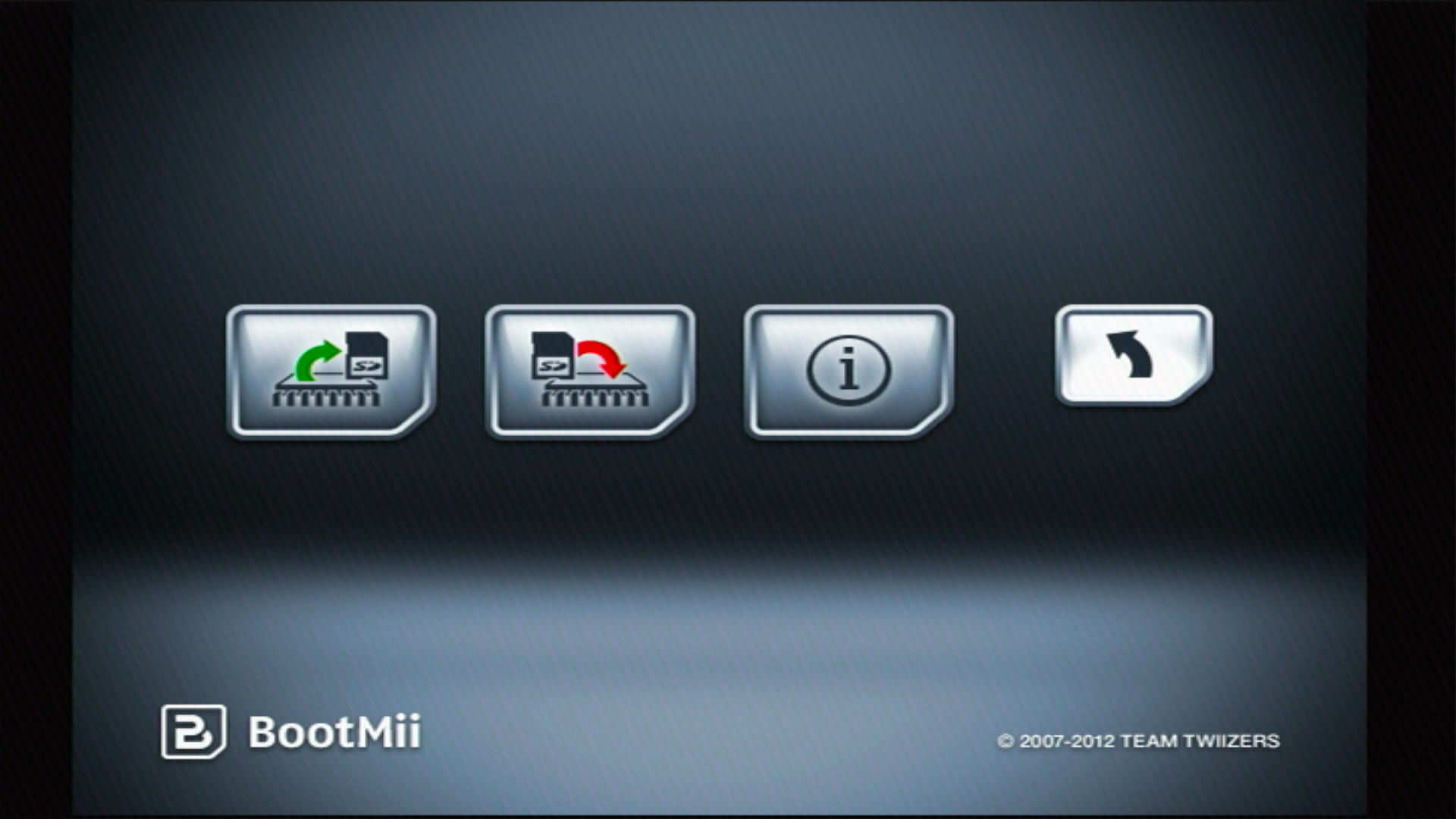
Válaszd ki az Options menüpontot (az ikon fogaskerékkel).
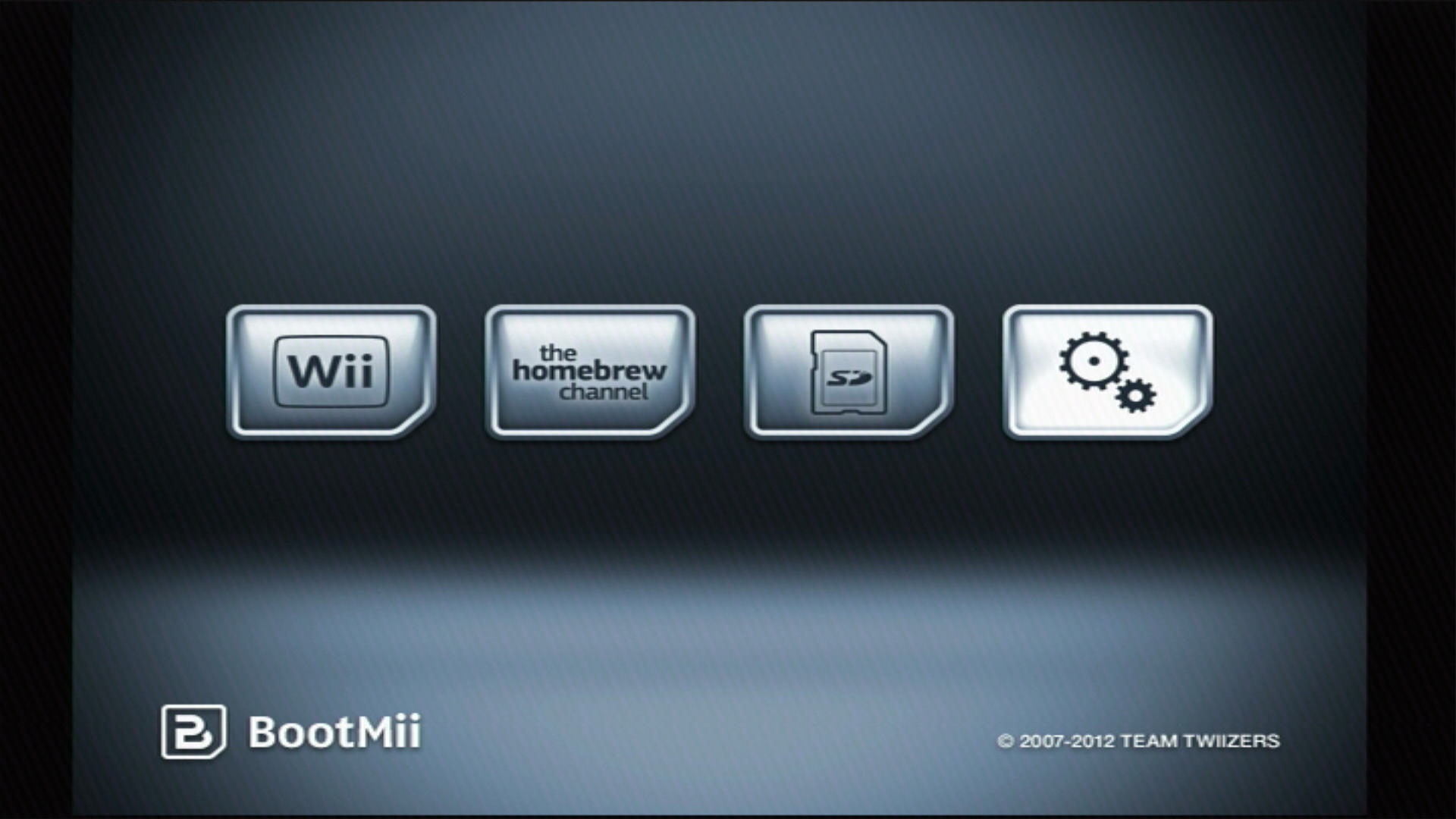
Válaszd ki a bal szélső gombot.
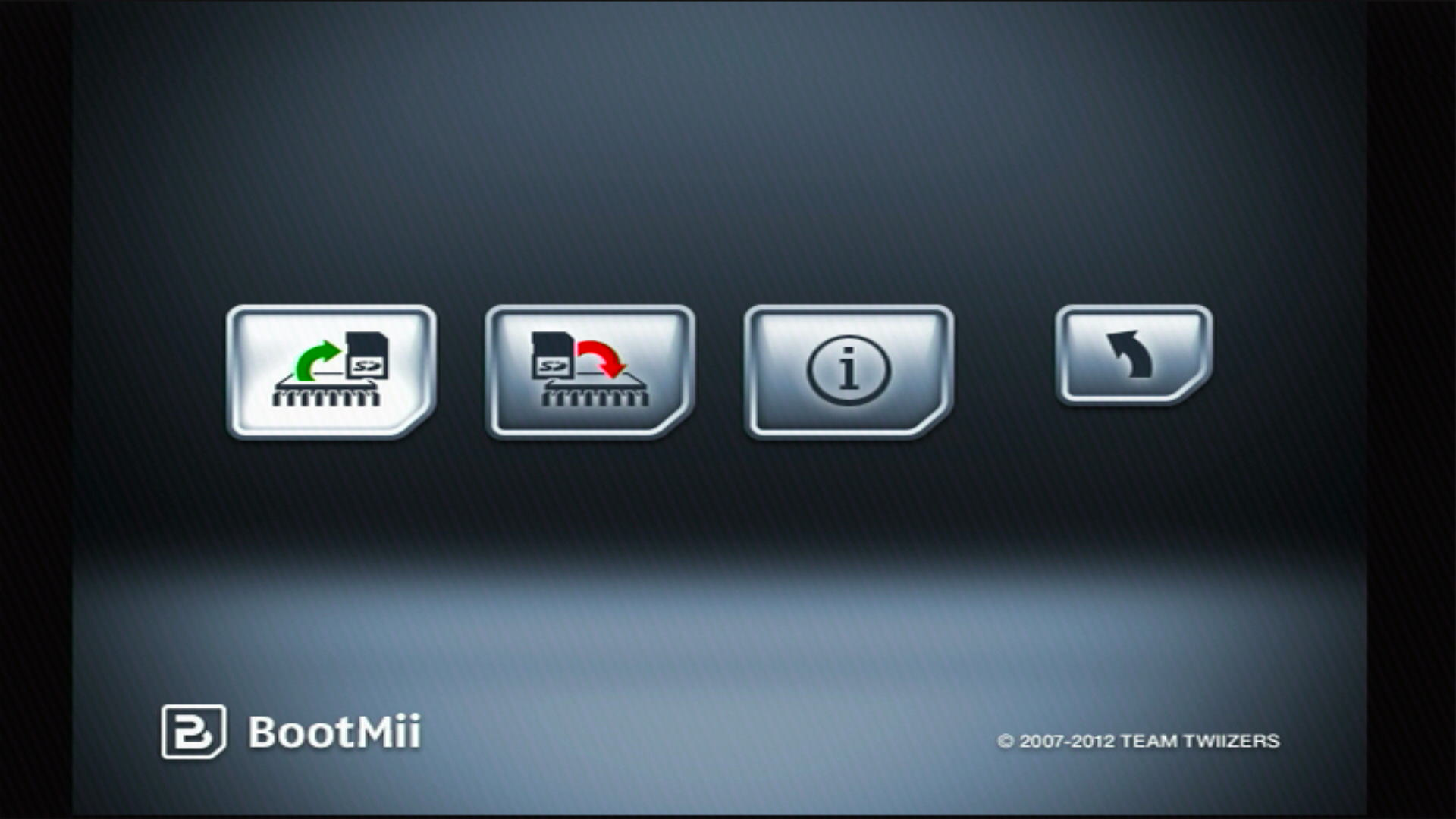
Ezután el fog kezdődni a belső tárhely biztonsági mentése. A folyamatot a képernyőn figyelemmel követheted.
- A „Bad Blocks”-ok nomálisak és többnyire a gyárból származnak a NAND binning miatt. Ne aggódj – ez a gyárban történő adatosztályozás természetes mellékterméke és nem azt jelenti, hogy baj van.
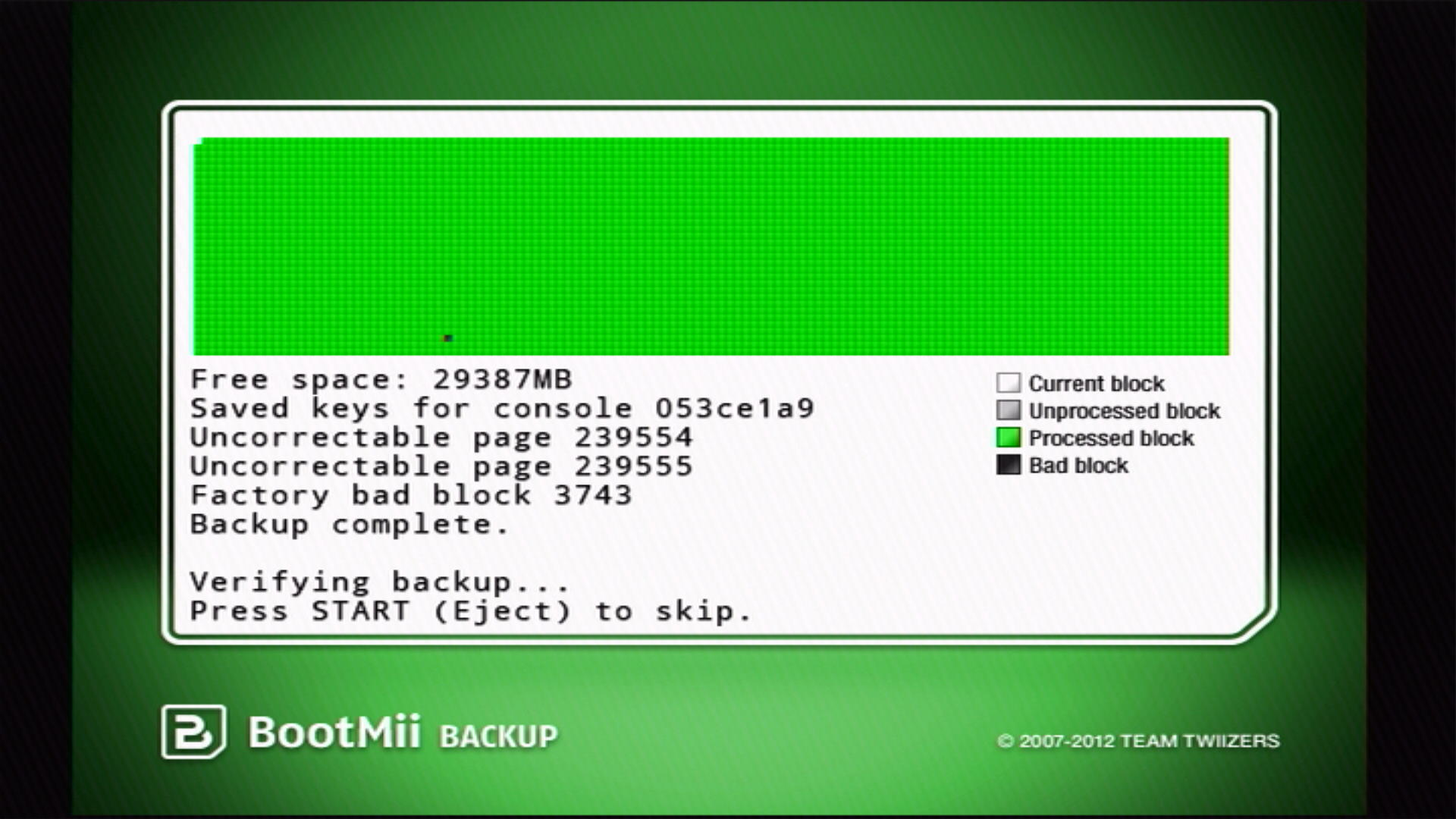
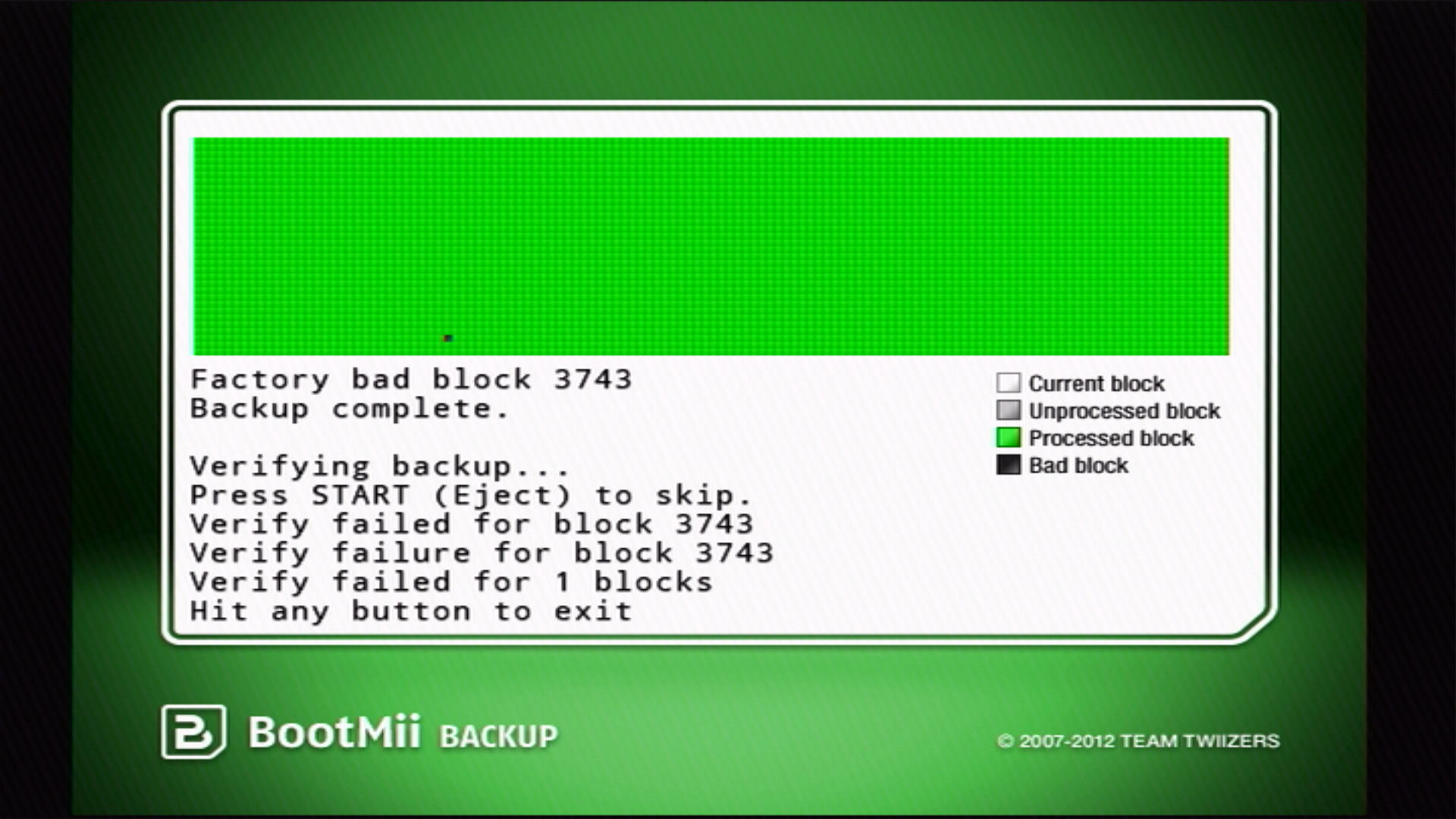
Miután a folyamat lezáródott, a BootMii ellenőrizni fogja a biztonsági mentés minőségét. Ha minden jól sikerült, akkor az összes blokk zölden fog megjelenni az ábrán.
- Ha a mentés tartalmaz olyan gyárilag sérült blokkokat, amelyekben vannak javíthatatlan oldalak, akkor azok nem fognak átmenni az ellenőrzésen. Addig amíg a nem-hibás blokkok sikeresen ellenőrzésre kerülnek, ez nem probléma.
Nyomd meg a Back gombot (a gomb egy nyíllal), majd a BootMii-ből kilépéshez nyomd meg a Wii menü vagy a Homebrew Channel gombot.
Csatlakoztasd az SD kártyád a számítógépedhez.
Másold a
nand.bin,keys.binfájlokat az SD kártyádról vagy USB drive-odról egy biztonságos helyre. Opcionálisan letörölheted ezeket a fájlokat az SD kártyádról vagy az USB drive-odról, ha akarod.- Ideálisa esetben ezek a mentés fájlok legalább két helyen kerülnek tárolásra; preferáltan egy helyi meghajtón, amihez hozzáférsz, mint például a számítógéped merevlemeze és egy felhős tárolás mint a OneDrive vagy az iCloud Drive.

TIP
A Priiloader egy második réteg védelemmel látja el a Wii-t és erősen javasolt a beállítása, még ha boot2 alá is telepítetted a BootMii-t. A BootMii IOS-es felhasználóinak számára kiemelten fontos.